Flit 1.1: two new voice models, a dictionary that learns, and a new look
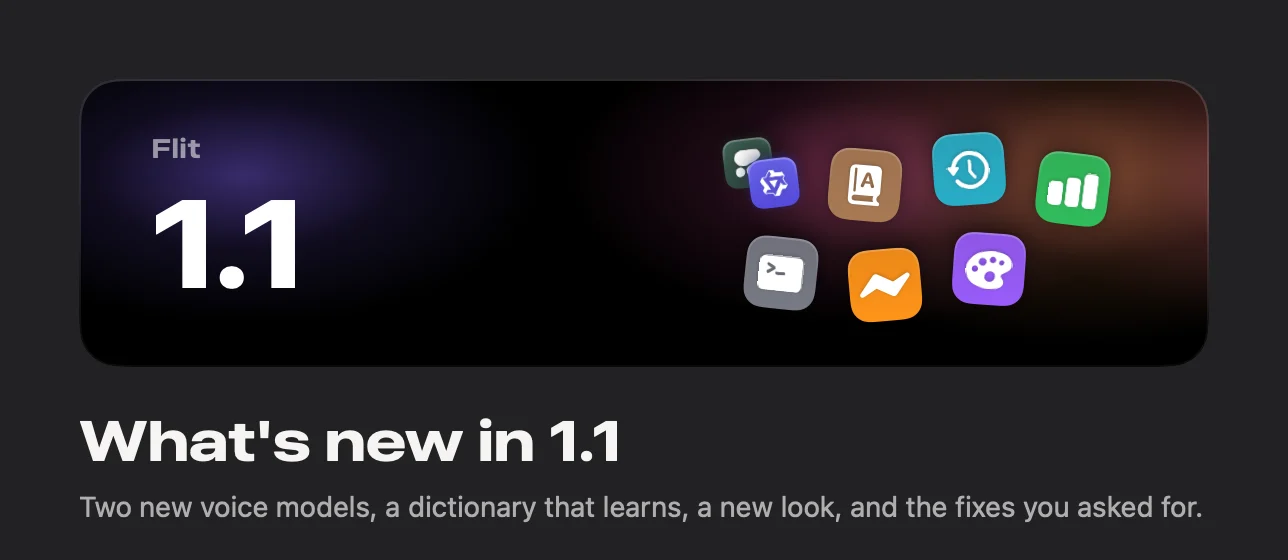
Flit 1.1 adds Cohere Transcribe and Qwen3-ASR, a dictionary that learns your words, history you can play back, analytics in color, and a redesign of the app, its icon and this site. A free update for every license.

The short answer
Flit 1.1 is a free update to the private dictation app for Mac. It adds two voice models that run on your Mac, Cohere Transcribe and Qwen3-ASR, a dictionary that learns the words you keep correcting, history you can play back, analytics in color, Developer Mode in the terminal, and a redesign of the app, its icon and flit.fyi. Nothing leaves your Mac. A Windows version is in the works, with a waitlist at flit.fyi/windows.
Flit 1.1 is the first big update since launch. It brings two new voice models, a dictionary that learns your words, history you can play back, and analytics worth opening. The app has a new look, a new icon, and this site was rebuilt around both. It is a free update for every license, and all of it runs on your Mac.
Two new voice models
Flit has always let you pick the voice model that turns what you say into words. 1.1 adds two, both downloads you choose and both running on your Mac once they are there.
Cohere Transcribe is now the most accurate choice for German, French, Spanish, Italian, Dutch and nine more languages. If you dictate in one of those five, try it first. It is a 1.6 GB download and does its best on a Mac with 16 GB of memory.
Qwen3-ASR knows 30 languages, including Russian, Hindi, Turkish and Thai, and works out which one you are speaking. It comes in two sizes, so you can trade a little accuracy for a smaller download.
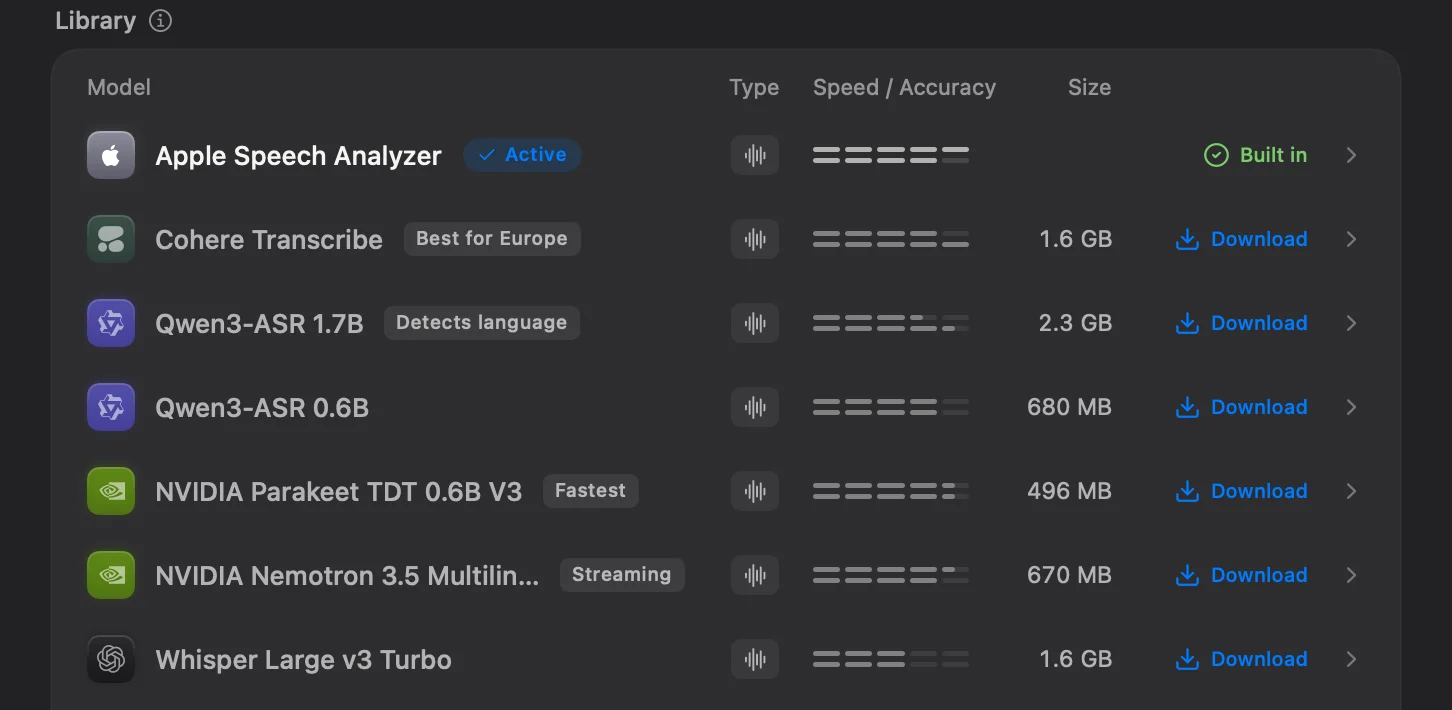
The models you already use are unchanged, and so is your choice. If the one you have works for your language, there is nothing to download.
Setting up on a new Mac now starts with the question that decides the rest: which languages you dictate in. The welcome window then recommends the voice model that serves them best on that Mac, and the setup guide shows what it picks for which languages.
A dictionary that learns
Names, products and jargon are where every speech engine slips. The personal dictionary was always the fix, but you had to type each word in yourself. Now you can paste a whole list at once, and Flit notices the words you keep fixing: keep correcting a word and it asks whether to remember it. Nothing is added without a yes.
Your terms also reach the recognizer earlier. With Qwen3-ASR and Whisper, the voice model is given your words before it starts listening, so it gets them right more often in the first place. With every model, Flit still repairs a misheard name afterwards.
History that plays back
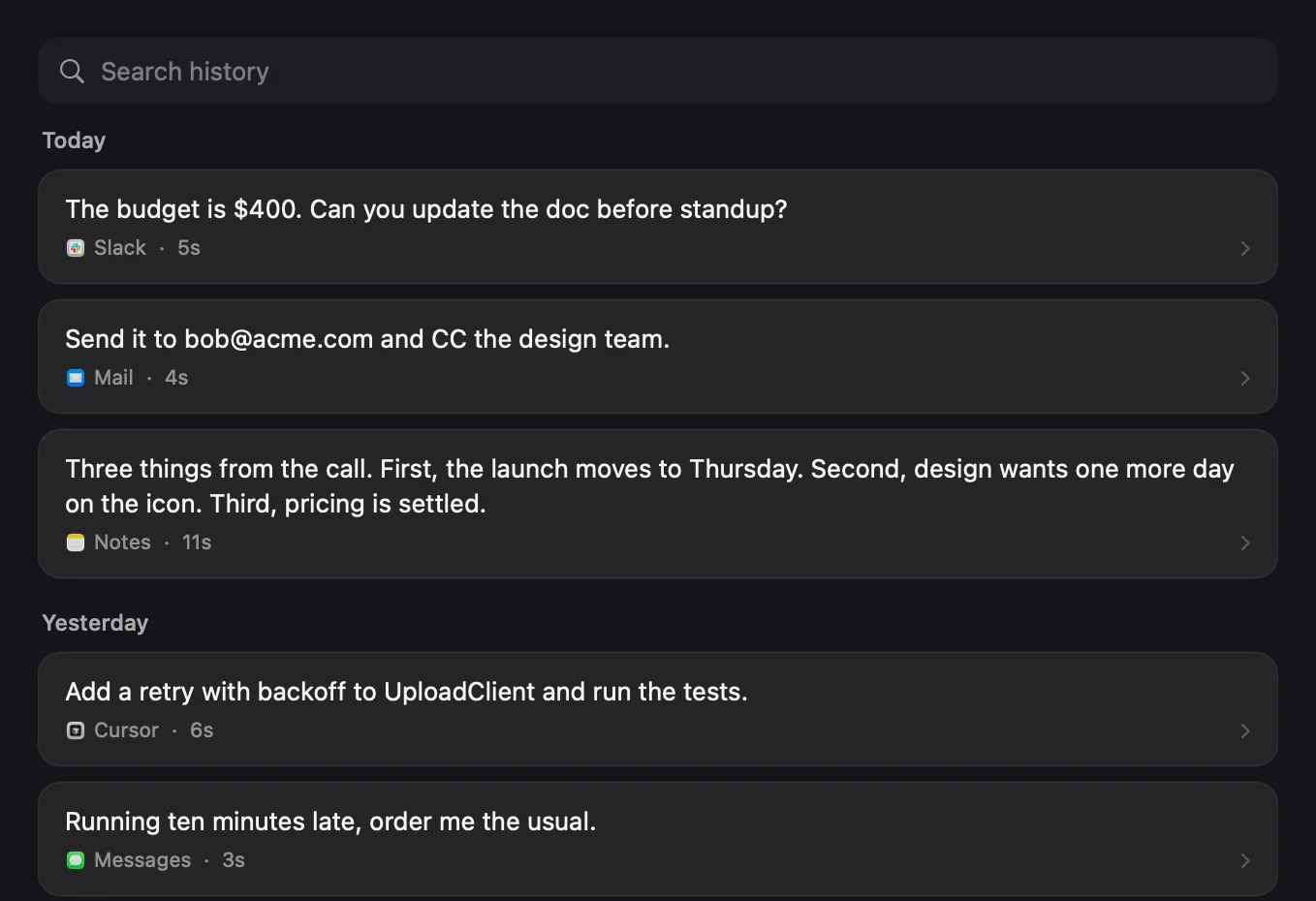
Every dictation is listed with the app it landed in and how long you spoke. Open one to read the finished text next to what you actually said, and if you chose to keep audio, play it back in place. History is capped at a number you pick, prunable in one click, and stored on your Mac and nowhere else.
Analytics in color
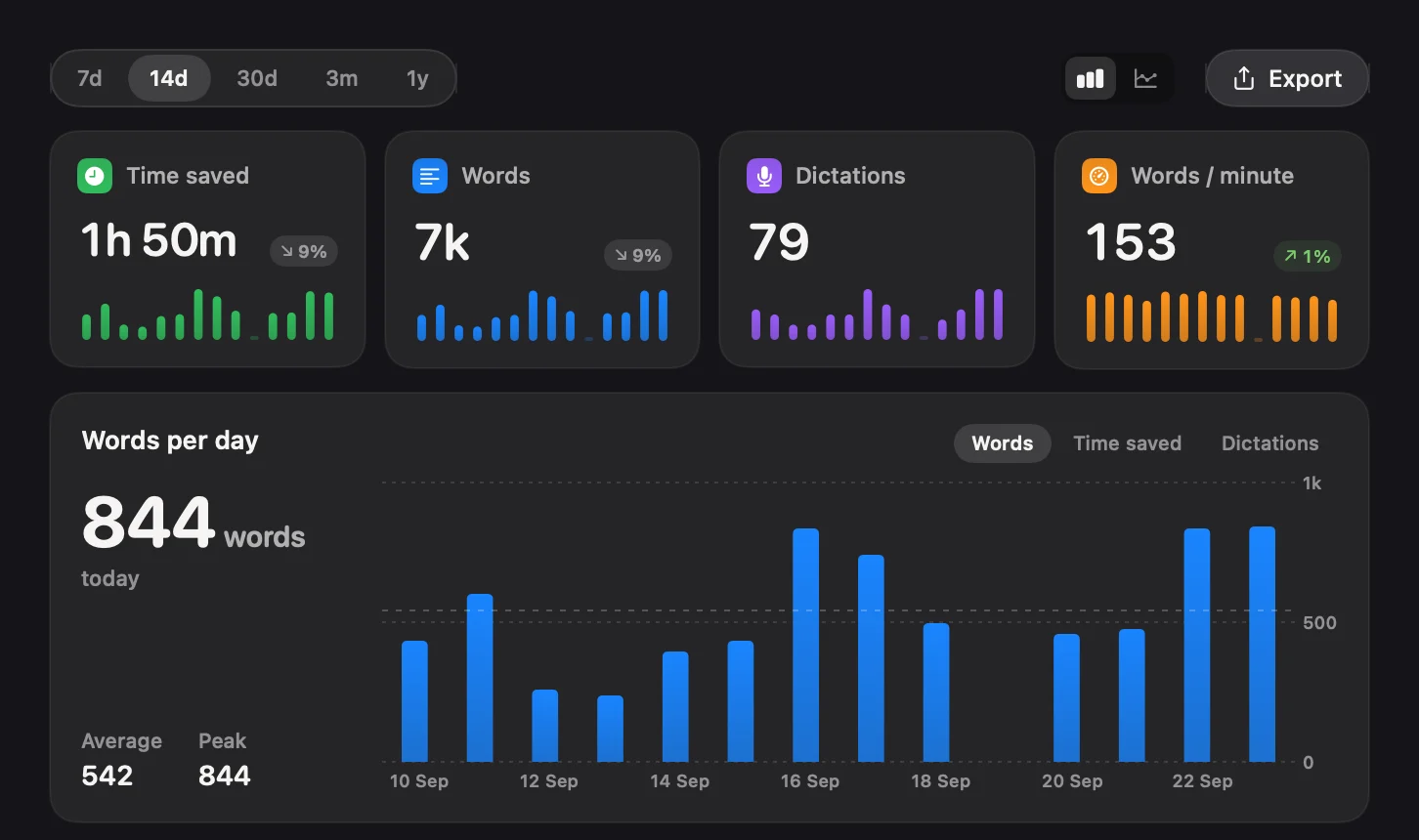
Analytics was redrawn so every chart leads with its figure: time saved, words, dictations and your speaking pace, each with a sparkline, a chart of words per day, the hour you dictate most, the apps you dictate into, and a calendar of the days you showed up. Any view exports as an image to your Downloads folder, and every figure is worked out from your own history on your Mac.
It informs and never nags. There are no reminders and no notifications, and a missed day costs you nothing.
Developer Mode in the terminal
In a terminal or a code editor, Flit types your exact words, the
verbatim mode that keeps a command from being
capitalized and given a full stop. In 1.1, Developer Mode reaches the
terminal as well: what you say comes out as a command, so “git commit dash m”
types git commit -m, flags keep their dashes, and “space” is a space. The
full list is on the spoken commands page.
Start a dictation from anywhere
Shortcuts now has Start, Stop, Toggle and Cancel Dictation actions, so a
dictation can be one step in a longer shortcut. Any launcher, or a Stream
Deck key, can open a flit://toggle link to do the same.
A new look, a new icon, a new site
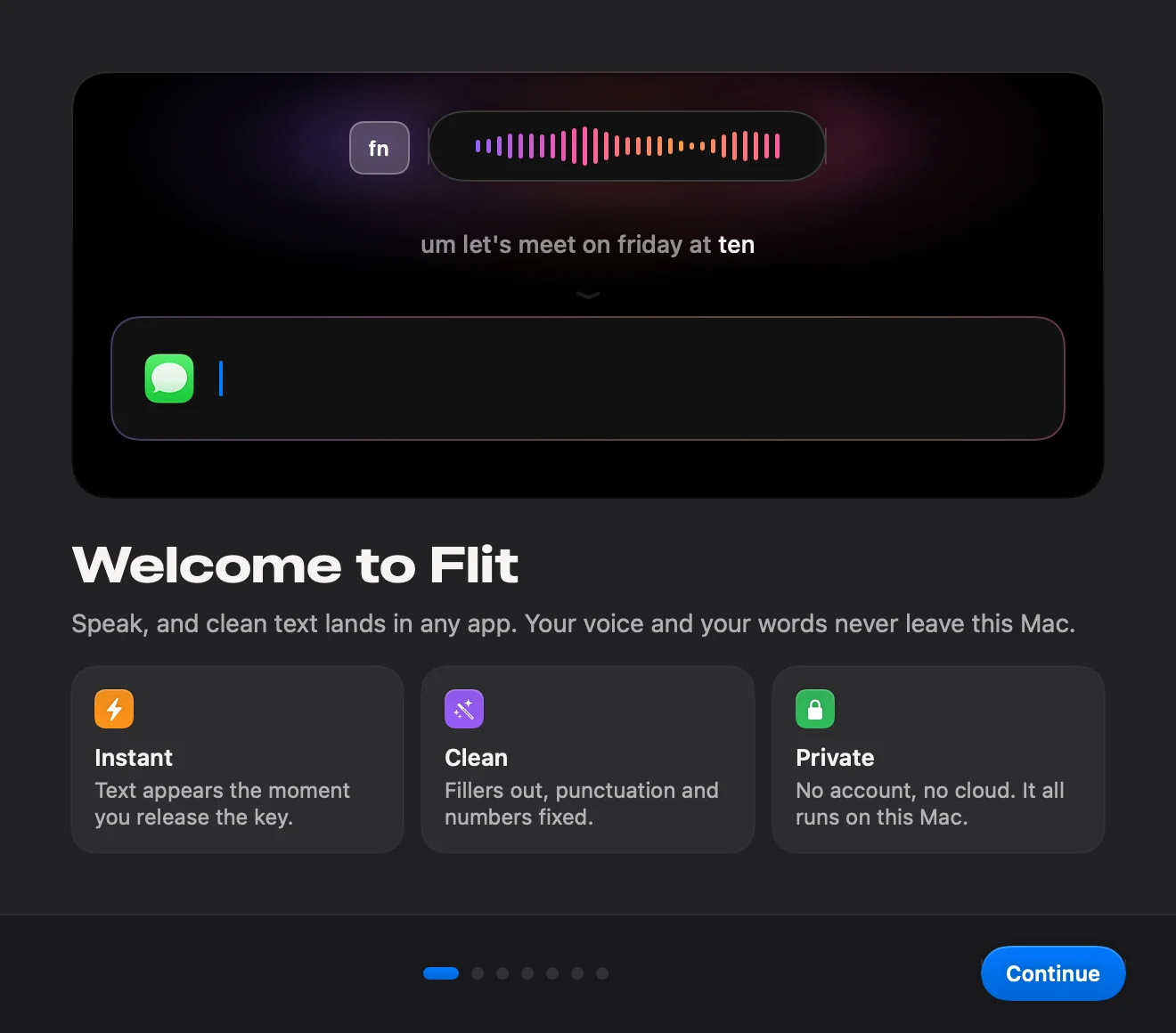
The app has been redrawn on glass grounds and dark cards, in your Mac’s own accent color. The light theme is a real light theme now, not the dark one turned up. Onboarding has the new look too, and it opens by showing what Flit does before it asks for any permission.
The icon is new as well. The hummingbird is the same drawing, now a slab of sunset glass on a black tile, sized on Apple’s own icon grid so it sits level with its neighbors in the Dock instead of standing a size larger.
And flit.fyi was rebuilt alongside the app: every page redesigned around the new icon, and a Markdown copy of each page for the AI assistants that read it on your behalf.
And the fixes you asked for
- A silent recording now pastes nothing, instead of invented text.
- Your dictation lands in the field you started in, even if another app jumps in front while you are speaking.
- Flit no longer freezes after a dictation when the app you were writing in is busy.
- Snippets fire only when you say their trigger, not on anything close to it.
- Spoken numbers, dates and prices become figures.
- The “Pasted” confirmation gets out of your way faster.
The changelog has every change, in every release.
And Windows is next
Enough of you have asked that we are building it. Flit for Windows is in the works, on the rule the Mac app is built on: everything runs on your own machine, with no server, no account and nothing uploaded. There is no date yet, and we would rather not invent one. If you want to hear the day it is ready, join the waitlist and we will write then, and not before.
How to get it
If you have Flit, choose Check for Updates from the menu bar and install 1.1. Nothing in your settings changes. Your dictionary, snippets and history come with you.
If you have not tried it, download Flit. It is free for seven days with every feature on, and after that it is $19 once for up to two Macs, with no account and no subscription.
Questions people ask.
Is Flit 1.1 a free update?
Yes. Every license includes twelve months of updates, and Flit has only been on sale since September, so every license gets 1.1 at no cost. The trial gets it too.
How do I update to Flit 1.1?
Choose Check for Updates from the Flit menu in the menu bar and install it from there. Your settings, dictionary, snippets and history carry over unchanged.
Do the new voice models send audio anywhere?
No. Cohere Transcribe and Qwen3-ASR are downloads, like every other model in Flit. Once one is on your Mac it runs there, with networking on or off, and nothing you say is sent anywhere.
Which voice model should I use?
Keep the one you have if it works for your language. On a new Mac, the welcome window recommends one for the languages you choose. Cohere Transcribe is the most accurate choice for German, French, Spanish, Italian, Dutch and nine more languages. Qwen3-ASR covers 30 languages and detects which one you are speaking, which suits people who switch languages mid-day.
Is Flit coming to Windows?
Yes, it is in the works, built on the same rule as the Mac app: everything runs on your own machine. There is no date yet. Join the waitlist at flit.fyi/windows and you hear the day it is ready.
Does the dictionary learn without asking?
No. When you keep correcting a word, Flit suggests adding it and waits for a yes. Nothing is added to your dictionary without you choosing it.